
How to Build a Qi2 Desk Charging Station That Actually Keeps Up With You
It's May 2026, and if your desk still looks like a spaghetti junction of USB-C cables and half-dead power strips, it's time for an intervention. The Qi2.2 spec just landed with 25W wireless charging, and suddenly that dream of a clean, cable-free desk setup isn't just wishful thinking—it's downright achievable. Here's how to build a Qi2 desk charging station that doesn't just look good in photos but actually keeps every device on your desk powered up and ready to go.
Quick Navigation
- 1 Why Your Current Desk Charging Setup Is Holding You Back
- 2 Qi2 vs Qi2.2: What's Changed and Why It Matters for Your Desk
- 3 The Core Components of a Qi2 Desk Charging Station
- 4 Multi-Device Charging: Phones, Earbuds, and Everything Else
- 5 Cable Management Meets Wireless: The Best of Both Worlds
- 6 Real-World Setup: A Step-by-Step Build Guide
- 7 Future-Proofing Your Desk for What's Next
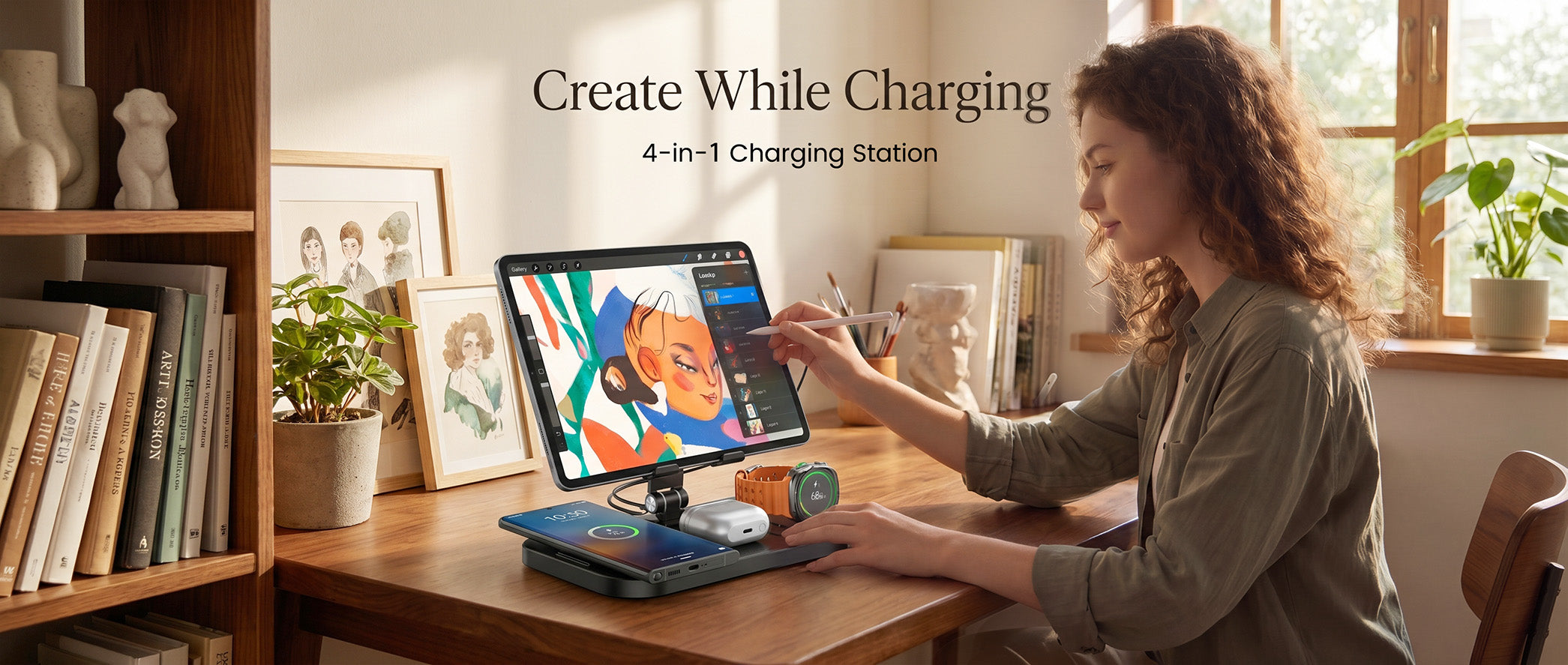
how to build a qi2 desk charging station that actually keeps up with you
1. Why Your Current Desk Charging Setup Is Holding You Back
Let's be honest—most desk charging setups are a hot mess. You've got a tangle of USB-C cables snaking across your workspace, a bulky power strip hiding under your monitor, and at least one device that's always at 12% battery because you keep forgetting to plug it in. Sound familiar?
The problem isn't that you lack charging options. It's that those options were designed for a world where you only had one phone and maybe a pair of earbuds. Fast-forward to 2026, and the average desk jockey is rocking a phone, wireless earbuds, a smartwatch, a tablet, and maybe even a pair of AR glasses. That's five devices fighting for four outlets, and nobody's winning.
Wireless charging was supposed to fix this. And to be fair, the original Qi standard got the ball rolling. But at 5W and 7.5W, early wireless chargers were slower than a Monday morning. You'd plop your phone down, come back two hours later, and it's still not fully charged. Hardly the productivity boost you were hoping for.
Qi2 changed the conversation. With MagSafe-style magnetic alignment and up to 15W, it finally made wireless charging something you could actually rely on. And now Qi2.2 is pushing that ceiling to 25W, which means wireless charging is no longer the slow cousin of wired—it's a legitimate contender for your primary charging method.
If you're still running a 2019-era charging pad that barely nudges your battery percentage, you're leaving convenience on the table. A well-built Qi2 desk setup doesn't just charge your devices—it transforms how you work. No more hunting for cables. No more deciding which device gets priority. Just drop, charge, and go.
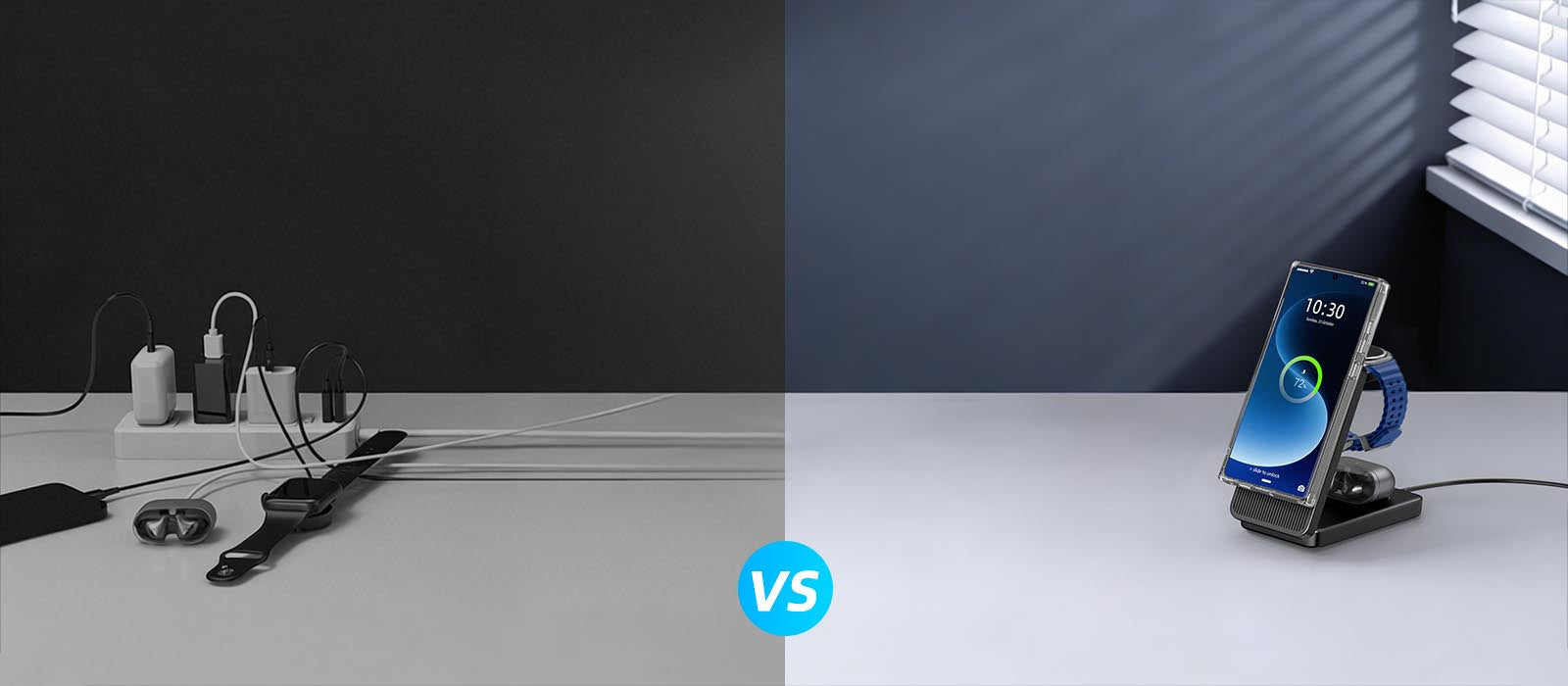
why your current desk charging setup is holding you back
2. Qi2 vs Qi2.2: What's Changed and Why It Matters for Your Desk
Before you snag a deal on a random wireless charger, you need to understand the difference between Qi2 and the new Qi2.2 spec. Because spoiler alert—they're not the same thing, and buying the wrong one means leaving serious charging speed on the table.
Qi2, which rolled out broadly through 2024 and 2025, brought two game-changing features to the table: magnetic alignment (just like Apple's MagSafe) and up to 15W charging speed. The magnetic alignment alone was a huge deal. No more carefully positioning your phone on a pad and hoping it's centered. The magnets snap it into the sweet spot every single time. That means consistent charging speeds and zero guesswork.
Qi2.2, which started hitting devices in early 2026, takes things up another notch. The headliner is 25W wireless charging—nearly double what Qi2 offered and competitive with many wired chargers. For context, that's enough to take a typical smartphone from zero to 50% in about 20 minutes. Wirelessly. Without touching a single cable.
But speed isn't the whole story. Qi2.2 also introduces smarter power management. The spec includes enhanced foreign object detection (FOD), which means the charger can tell the difference between your phone and, say, a paperclip or a credit card sitting on the pad. It also supports multi-coil designs more effectively, so a single charging pad can intelligently route power to whatever device you place on it—phone, earbuds, or watch.
For desk setups specifically, there's another feature that matters: Qi2.2 supports concurrent multi-device charging at higher total wattage. Previous Qi2 multi-device chargers had to split their 15W across two or three devices, leaving each one crawling at 5W. Qi2.2 multi-device chargers can deliver meaningful power to each device simultaneously.
Here's the bottom line: if you're building a new desk setup in 2026, Qi2.2 is what you want. But Qi2 chargers are still perfectly fine for devices that don't support the newer spec—and they're getting more affordable by the day. A smart desk setup will mix both: Qi2.2 chargers for your primary device and Qi2 pads for secondary gear.

qi2 vs qi2.2: what's changed and why it matters for your desk
3. The Core Components of a Qi2 Desk Charging Station
Building a Qi2 desk charging station is like building any good setup—it starts with picking the right components and putting them where they actually make sense. Here's what you need and why.
The Primary Charging Pad (Qi2.2, 25W)
This is the workhorse of your setup—the charger your phone hits first. Look for a Qi2.2-certified flat pad or stand that delivers 25W. A stand is usually the better desk choice because it props your phone at an angle, making it easy to glance at notifications while it charges. Qi2.2 stands throughout 2026, and prices are settling into the $40-60 range.
The Secondary Charging Pad (Qi2, 15W)
For your earbuds case and maybe a second phone or a smartwatch, a Qi2 pad at 15W is plenty. These are widely available for $20-35. A compact, low-profile pad works best for earbuds since you just want to drop the case and forget about it.
The Multi-Device Charging Mat
If desk real estate is tight—and let's be real, it always is—a multi-device Qi2 charging mat is your best friend. These flat mats have two or three charging zones and can handle your phone, earbuds, and watch simultaneously. The trade-off is that each zone typically maxes out at 15W (or 25W on Qi2.2 mats), so your phone won't charge quite as fast as it would on a dedicated pad. But the convenience of having one device instead of three? Worth it.
The Power Supply
Don't sleep on the power supply. Every Qi2 charger needs a decent USB-C power adapter, and the one that came in the box might not cut it if you're running a multi-device mat. For a Qi2.2 primary pad, you'll want at least a 30W USB-C adapter. For a multi-device mat with three zones, look for 65W or higher. GaN (gallium nitride) adapters are the way to go—they're compact, run cool, and have enough ports to power your whole setup from one wall outlet.
Cable Management
Yes, even a wireless setup has cables—the power cables for your chargers. But here's the beautiful thing: you only need one power cable running to your desk instead of five. Use a cable tray or adhesive cable clips to route that single cable under your desk, and you're looking at a setup that's virtually cable-free from the user's perspective.
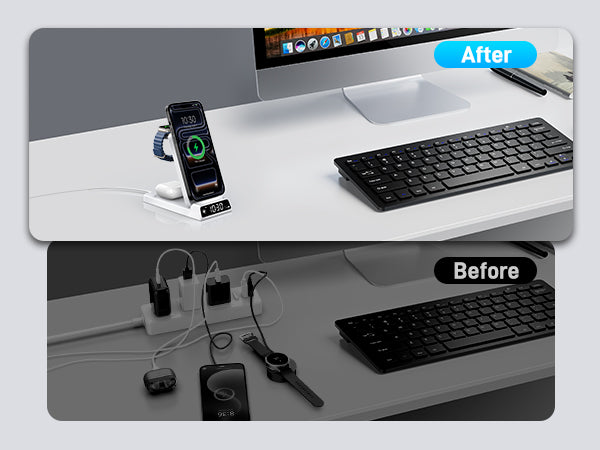
the core components of a qi2 desk charging station
4. Multi-Device Charging: Phones, Earbuds, and Everything Else
The whole point of a Qi2 desk setup is to ditch the cables and charge everything wirelessly. But different devices have different charging needs, and treating them all the same is a recipe for frustration. Let's break it down.
Smartphones
Your phone is the priority—no question. It's the device you reach for most often and the one you can't afford to have dead at 2 PM. On a Qi2.2 charger, most 2025-2026 flagship phones will pull 25W. That's fast enough to top up during a coffee break. The magnetic alignment means you get consistent speed every time, which is a huge upgrade from the finicky positioning dance of older Qi pads.
If you're an iPhone user, MagSafe has given you this experience since 2020. But Qi2 and Qi2.2 bring magnetic wireless charging to Android devices for the first time. Samsung's Galaxy S26 series, Google's Pixel 11, and a growing roster of Android phones now support Qi2 magnets. This is a big deal for mixed-device households or anyone who's been stuck with slow 5W Qi charging on their Android.
Wireless Earbuds
Most modern wireless earbuds cases support Qi charging, and many of the latest ones include Qi2 magnets. The charging speed for earbuds is much lower—usually 2.5W to 5W—but the battery is also tiny, so a full charge happens in under an hour. The magnetic alignment is the real win here. No more carefully centering your earbuds case on a pad and hoping the charging indicator lights up.
Smartwatches
This is where things get a little complicated. Most smartwatches use proprietary wireless charging—not Qi2. Apple Watch, Galaxy Watch, and Pixel Watch all use their own charging standards. However, some Qi2 multi-device chargers include a dedicated Apple Watch or Galaxy Watch puck as one of their charging zones. If a watch is part of your daily desk lineup, look for a 3-in-1 charger that includes a dedicated watch charger.
Tablets and Laptops
Wireless charging for tablets is still emerging. A few Qi2.2 pads can charge smaller tablets at reduced speed, but this isn't mainstream yet. Laptops are still firmly in wired territory—25W wireless isn't anywhere near enough for laptop charging. For now, keep one USB-C cable on your desk for your laptop and let everything else go wireless.

multi-device charging: phones, earbuds, and everything else
5. Cable Management Meets Wireless: The Best of Both Worlds
Here's the irony of wireless charging: you still need cables to power the chargers. But the beauty of a Qi2 setup is that you can dramatically reduce the number of cables on your desk and hide the ones that remain. Here's how to make it work.
Centralize Your Power
Instead of running separate power cables for each charger, use a single high-wattage GaN adapter with multiple USB-C ports. A 100W GaN adapter with three ports can power your Qi2.2 phone stand, your Qi2 earbuds pad, and still have juice left over for your laptop. One cable from the wall to the adapter, and short USB-C cables from the adapter to each charger. Boom—three chargers, one power source.
Mount Chargers Under or Behind Your Monitor
If you use a monitor arm, you've got a goldmine of hidden space behind your display. Mount a Qi2 charging pad to the back of your monitor or on the underside of a shelf using adhesive strips or a 3D-printed mount. Your phone charges while it sits out of the way, and the charging pad is invisible from your seated position.
Use a Desk Pad With Built-In Charging
Desk pads with integrated Qi2 charging zones are one of the hottest desk accessories of 2026. They look like a regular leather or felt desk pad, but they have a flush-mounted wireless charger built into one corner. The charging coil sits just below the surface, so you just drop your phone on the designated spot and it starts charging. The power cable runs off one edge and down to your hidden power supply. Clean, minimal, and incredibly convenient.
Cable Routing 101
For the cables you can't eliminate, route them under your desk using adhesive cable clips or a cable management tray. Run power cables along the back edge of your desk where they're invisible from your seated position. Use cable sleeves to bundle multiple cables into one clean line. The goal is simple: from where you sit, you should see zero cables. Your chargers should look like they're magically drawing power from the desk itself.
A well-managed Qi2 desk setup isn't just about aesthetics (though it looks fantastic). It's about removing friction. When you don't have to think about charging—when you just set your devices down and they charge—your desk becomes a genuinely more pleasant place to work. That's not a small thing.
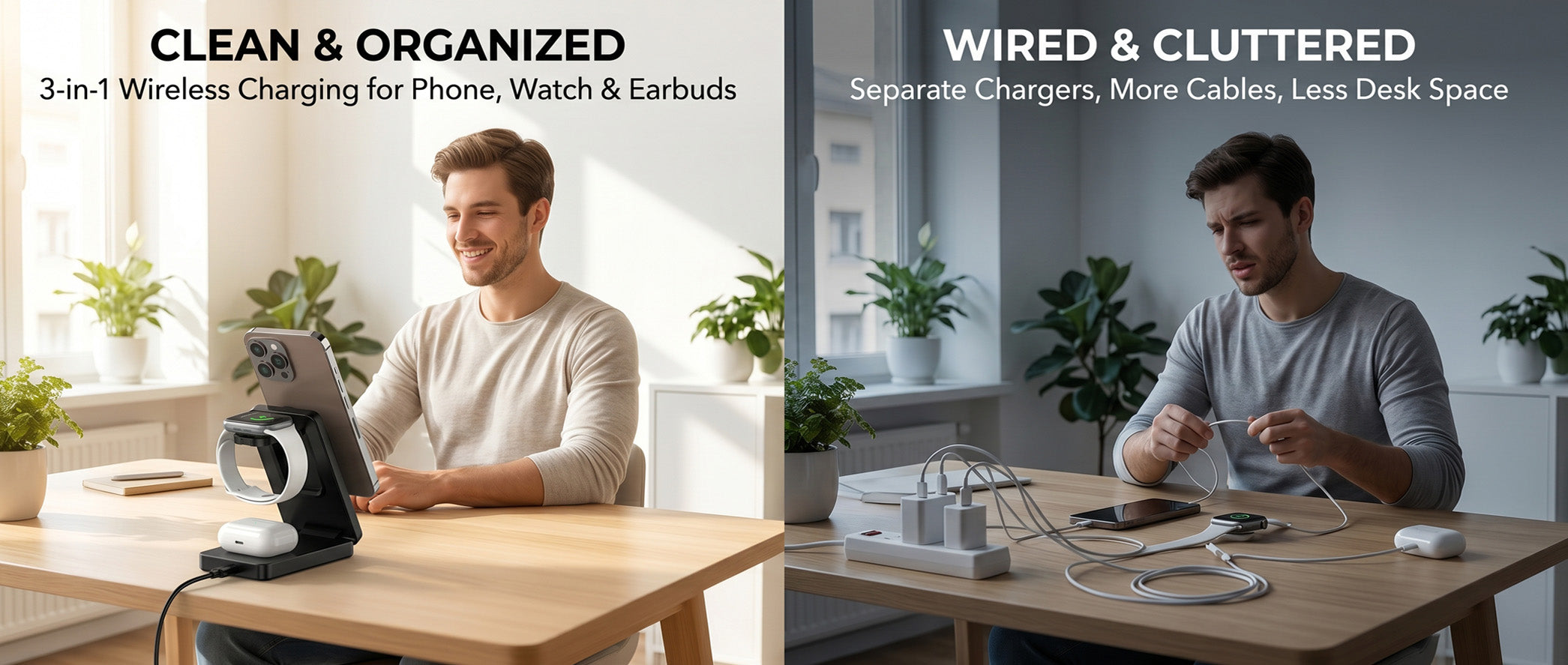
cable management meets wireless: the best of both worlds
6. Real-World Setup: A Step-by-Step Build Guide
Enough theory—let's actually build this thing. Here's a practical step-by-step guide to setting up a Qi2 desk charging station that covers all your devices.
Step 1: Audit Your Devices
Before you buy anything, lay out every device you charge at your desk. Phone, earbuds, watch, tablet—whatever it is, put it on the desk. Count them up and note which ones support Qi2 (most 2024+ phones) and which need proprietary charging (most smartwatches).
Step 2: Choose Your Charger Configuration
Based on your device audit, pick one of these configurations:
- 2-device setup (phone + earbuds): A Qi2.2 dual charging pad. One zone at 25W for your phone, one at 15W for earbuds. Budget: $50-70.
- 3-device setup (phone + earbuds + watch): A Qi2.2 3-in-1 charger with a dedicated watch puck. Budget: $70-100.
- Power user setup (phone + earbuds + watch + secondary phone): A Qi2.2 3-in-1 charger plus a standalone Qi2 pad. Budget: $90-130.
Step 3: Pick Your Power Supply
Match your power adapter to your charger configuration. A 65W GaN adapter covers the 2-device and 3-device setups. For the power user setup, step up to 100W. Make sure your adapter has enough USB-C ports—one per charger.
Step 4: Position Your Chargers
Place your primary Qi2.2 phone charger within arm's reach, ideally on the side of your dominant hand. If you're right-handed, it goes on the right side of your desk, and vice versa. Your earbuds pad can go anywhere—it's a set-and-forget situation. If you have a watch charger, position it next to your phone charger so you can dock both devices in one motion when you sit down.
Step 5: Route and Hide Cables
Connect each charger to your GaN adapter with the shortest USB-C cable that works. Route the adapter's power cable along the back edge of your desk using adhesive cable clips. If you have a cable tray, tuck the adapter and excess cable length into it. Take a step back and check: can you see any cables from your seated position? If yes, adjust until you can't.
Step 6: Test Everything
Place each device on its charger and verify that it's actually charging. Check the wattage using your phone's battery settings or a USB-C power meter. If a device isn't hitting expected speeds, check alignment—Qi2 magnets should handle this automatically, but some cases can interfere with the magnetic lock.
That's it. From zero to a clean, multi-device Qi2 charging setup in under an hour. Welcome to the future of desk charging.
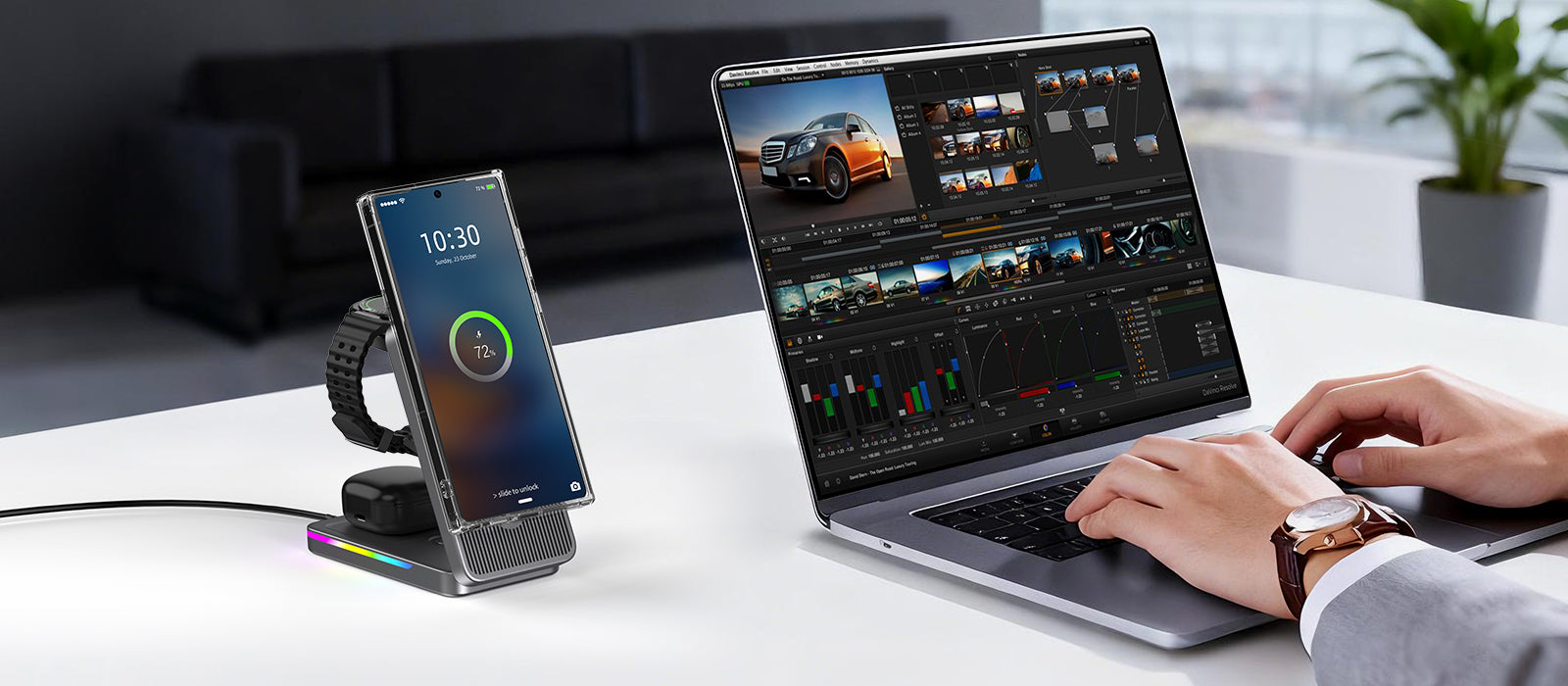
real-world setup: a step-by-step build guide
7. Future-Proofing Your Desk for What's Next
Technology moves fast, and charging tech is no exception. Here's what's coming down the pike and how to make sure your desk setup doesn't become obsolete six months from now.
The Road to 50W Wireless
The Wireless Power Consortium has already hinted that 50W wireless charging is on the roadmap for the next Qi specification. When that lands—likely 2027 or 2028—you'll be able to wirelessly charge at speeds that rival today's fastest wired chargers. The key to being ready: buy chargers with firmware update capability. Some Qi2.2 chargers support over-the-air updates, which means they could potentially be upgraded to support faster speeds when the next spec arrives.
Spatial Wireless Charging
Several companies are working on spatial wireless charging—technology that can charge devices at a distance without physical contact. It's still early, but prototypes have demonstrated charging phones from several inches away. This could eventually mean charging zones on your desk where you just set your phone down anywhere within a designated area, no precise placement needed. For now, this is bleeding-edge stuff, but it's worth keeping an eye on.
Reverse Wireless Charging Gets Serious
Reverse wireless charging—where your phone charges another device—has been a gimmick for years. But with Qi2.2's higher power output, reverse charging is becoming genuinely useful. Imagine your phone charging your earbuds case while both sit on your desk. It's not a primary charging strategy, but it's a nice backup when you don't have a dedicated earbuds charger handy.
Buy Modular, Not Monolithic
The best future-proofing strategy is to buy modular chargers instead of all-in-one stations. A modular setup—where your phone charger, earbuds pad, and watch puck are separate devices—means you can swap out individual components as technology improves without replacing everything. All-in-one chargers are convenient, but when one zone becomes outdated, the whole unit needs replacing.
Don't Forget About Compatibility
Qi2 and Qi2.2 are backward compatible with the original Qi standard, so any charger you buy today will still work with older Qi devices. But the reverse isn't true—older Qi chargers won't give you magnetic alignment or faster speeds. As you upgrade your devices over time, make sure your chargers keep pace.
The bottom line: build your desk charging setup with Qi2.2 as the baseline, keep it modular where possible, and don't overspend on features that don't exist yet. A solid Qi2.2 setup today will serve you well for at least two to three years, and when the next big thing arrives, you'll be in a great position to upgrade without starting from scratch.

future-proofing your desk for what's next
Conclusion
Building a Qi2 desk charging station in 2026 isn't just about going wireless—it's about working smarter. With Qi2.2 delivering 25W speeds and magnetic alignment that actually works, there's no reason your desk should still be a cable graveyard. Start with a solid Qi2.2 charger for your phone, add a Qi2 pad for your earbuds, and scale from there. Keep it modular, manage those few remaining cables, and enjoy a desk setup that charges your devices as fast as it charges your productivity. The future of desk charging is here—and it's refreshingly cable-free.
Related Articles
- Samsung Z Flip 8 Wireless Charging Guide: The Art ofPower Replenishment for a Slim Foldable
- 25W MagSafe and Qi2: The Complete Desk Charging Setup Guide for 2026
- In-depth Analysis of iPhone 17e Charging Solutions: HighCost-performance Fast Charging and Wireless ChargingCombination Guide
- More Than Charging: How Sustainable Wireless ChargingCenters Become an Efficient and Eco-Friendly Desk Choice
- Summer 2026 Travel Charging Guide: How Qi2.2 25W Magnetic Charging Is Transforming On-the-Go Power

Elecdov Technical Team
Retail, Wholesale, Customization, After-sales, Repair, Joint Cooperation, One-stop Service
Looking for a customized solution?
Our team offers free, tailored charging solution design services.
Get Free Consultation


