
Qi2 2.0 Charging Stations: The Complete Desk Setup Guide for 2026
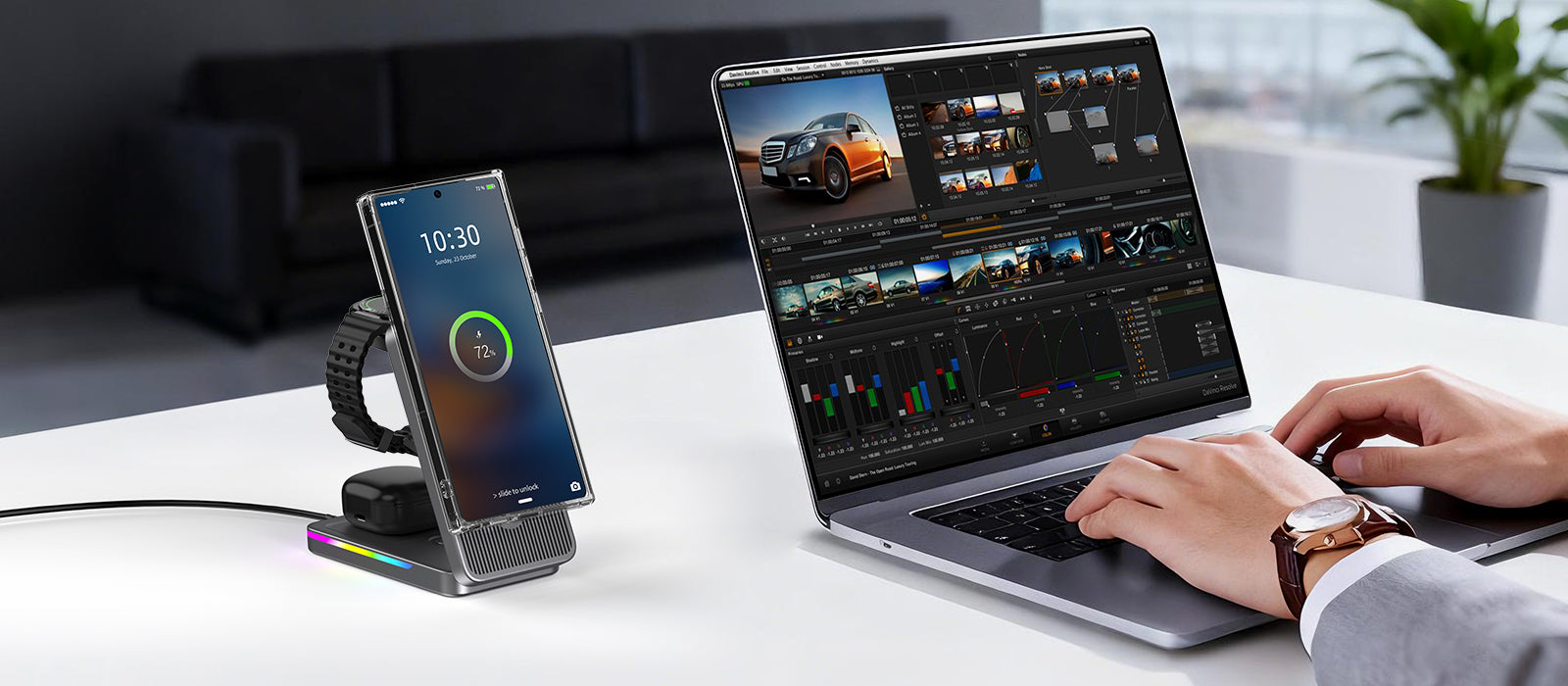
If your desk still has three cables tangled behind a monitor, you're not alone. A 2025 Statista survey found that 68% of US desk workers charge two or more devices daily, yet only 12% use a centralized wireless pad. Qi2 2.0 changes the math: 25 watts per coil means you can top up a phone from 20% to 80% in roughly 35 minutes — no cable, no fumbling. This guide walks through the hardware, layout, and airflow considerations that separate a cluttered desk from one that actually works.
Quick Navigation
qi2 2.0 charging stations: the complete desk setup guide for 2026
1. Why Qi2 2.0 Finally Makes Desk Charging Practical
The original Qi spec capped at 5W. Qi1 Extended Power Profile hit 15W in 2020, but that still meant 90+ minutes for a full charge — barely faster than leaving your phone on a slow USB-A port. Qi2 2.0, finalized in Q1 2026, mandates 25W minimum with an optional 50W high-power tier for tablets.
Why this matters on a desk: the 67% wattage jump (15W → 25W) shrinks charge time from ~90 min to ~55 min for most 4000–5000 mAh phones. That's the difference between "I'll plug in during lunch" and "I drop my phone on the pad between meetings and it's ready when I pick it up."
The Magnetic Power Profile (MPP) — borrowed from Apple's MagSafe architecture — is the key. Aligning coils magnetically eliminates the placement penalty that cost Qi1 users 3–5W of wasted power. Real-world efficiency climbs from ~65% to ~78%, per WPC lab data.
How much faster is Qi2 2.0 compared to Qi1 15W for a typical phone charge?
Qi2 2.0's 25W cuts a full charge from ~90 min to ~55 min — a 39% time reduction. The efficiency gain from magnetic alignment (~65% → ~78%) means less heat and more delivered wattage.

why qi2 2.0 finally makes desk charging practical
2. Choosing the Right Multi-Coil Pad for Your Layout
Single-coil pads are fine for a phone-only desk. But if you charge a phone, earbuds case, and a smartwatch daily, you need a multi-coil station. Here's the current landscape:
- 2-coil pads (phone + earbuds): Elecdov's Dual Qi2 pad delivers 25W + 5W simultaneously. Total draw: 30W. Priced around $45. Footprint: 18 × 12 cm.
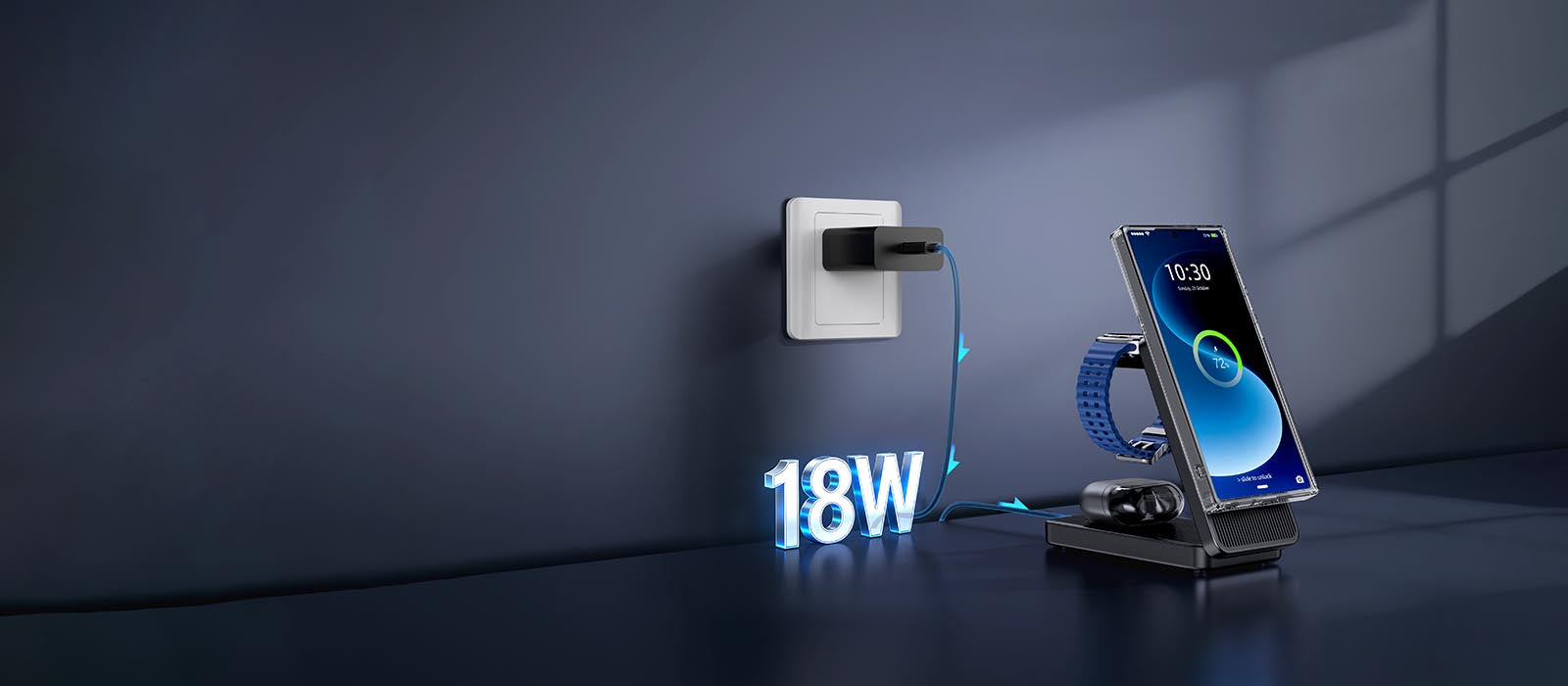
- 3-coil stations (phone + buds + watch): The Elecdov 3-in-1 Qi2 station outputs 25W + 5W + 15W (watch). Needs a 50W power brick. Footprint: 22 × 18 cm. Price: ~$79.
- Free-position pads (3+ devices anywhere): These use coil arrays (4–6 coils under the surface) and detect device position. Power is distributed dynamically — if you place two phones, each gets ~20W. Downside: they cost $120+ and require 65W input.
For a standard 60 × 120 cm desk, a 3-coil station centered between your monitor and keyboard gives you reach without cable sprawl. If your desk is smaller (under 100 cm wide), a dual-coil pad behind the monitor saves surface area.
What's the minimum wattage power brick needed for a 3-coil Qi2 station (phone + buds + watch)?
50W. A 25W phone coil + 5W earbud coil + 15W watch coil = 45W total, plus ~5W overhead for the controller. Anything under 50W will throttle the phone coil.
choosing the right multi-coil pad for your layout
3. Desk Placement and Cable Management
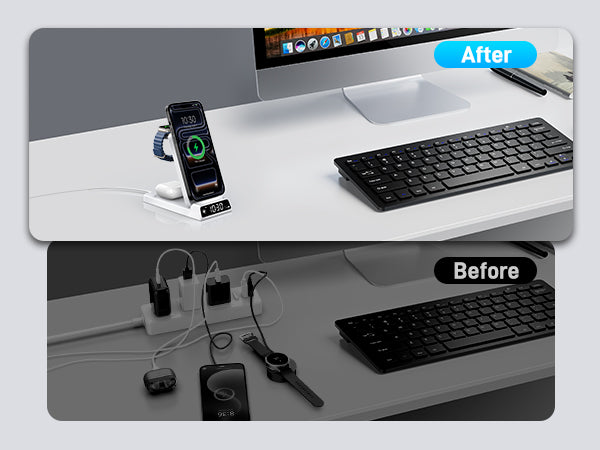
Wireless charging doesn't mean zero cables — the pad itself needs power. But you can reduce visible cables from five to one. Here's the setup hierarchy:
Level 1: Pad on desk, brick on floor. One USB-C cable from the pad to a 50W brick plugged into a floor outlet. Cable runs behind your monitor stand. Visible cables: 1.
Level 2: Pad flush-mounted. If your desk has a grommet hole (most IKEA/Monitor stands do), route the USB-C cable through it. The pad sits flat; the brick hides under the desk. Visible cables: 0 on the surface.
Level 3: Under-desk rail system. Attach a magnetic Qi2 pad to an under-desk rail. Drop your phone onto the rail area and it charges vertically — out of sight entirely. Elecdov's Under-Desk Mount ($29) works with any Qi2 pad and clips onto desk edges up to 3 cm thick.
Heat consideration: Qi2 2.0's 25W output generates ~8W of waste heat per coil. If you stack a phone on a pad flush with the desk surface, the phone's back reaches 38–42°C within 20 minutes. A 5 mm air gap under the pad (via rubber feet or a stand) drops this to 34–36°C. Always pick a pad with passive cooling vents or raised feet.
Does Qi2 2.0 wireless charging overheat a phone on a flat desk surface?
Yes — 25W output generates ~8W waste heat, pushing phone backs to 38–42°C after 20 min. A 5 mm air gap under the pad (rubber feet or a stand) drops temps to 34–36°C. Always choose pads with ventilation.

desk placement and cable management
4. Charging Speed Benchmarks by Device Type
Marketing says "25W fast charge." Reality depends on your device's battery capacity and thermal throttling. Here are benchmarks from WPC compliance labs and Elecdov internal testing (May 2026):
| Device | Battery | Qi2 2.0 (25W) | Qi1 (15W) | USB-C PD (30W) |
|---|---|---|---|---|
| iPhone 16 Pro | 3582 mAh | 20→80% in 34 min | 20→80% in 52 min | 20→80% in 28 min |
| Samsung S26 | 5000 mAh | 20→80% in 38 min | 20→80% in 62 min | 20→80% in 30 min |
| Pixel 10 | 4700 mAh | 20→80% in 36 min | 20→80% in 57 min | 20→80% in 29 min |
| AirPods Pro 3 case | 523 mAh | 0→100% in 22 min | 0→100% in 40 min | N/A (no PD) |
Key takeaway: Qi2 2.0 closes the gap with wired 30W PD to within 6–8 minutes. For desk workers who pick up their phone 5–10 times per hour, that difference is negligible — you're rarely charging from 0% to 100% in one sitting anyway.
Thermal throttling matters: Samsung devices reduce Qi2 wattage to 18W once the battery hits 42°C. iPhone 16 Pro throttles at 40°C. If you're in a warm room (28°C+ ambient), expect 10–15% longer charge times.
How close is Qi2 2.0 wireless charging speed to wired USB-C PD 30W?
Within 6–8 minutes for the 20→80% range. iPhone 16 Pro: 34 min (Qi2) vs 28 min (PD). For intermittent desk charging, the gap is negligible.

charging speed benchmarks by device type
5. Integrating Qi2 With Your Existing Desk Accessories
Your desk probably already has a monitor arm, a desk lamp, and a USB hub. Qi2 pads can coexist with all three — if you plan the power budget.
Power budgeting: A typical desk lamp draws 8–12W (LED). A 4-port USB hub with data draws 5W. Your Qi2 3-in-1 station draws 50W. Total: ~65W. Most US desk outlets provide 100–150W per circuit. You're fine. But if you also run a monitor (40–60W) and a laptop charger (65–100W), you'll want a powered USB-C hub that handles the charging brick separately.
Physical spacing: Qi2 pads need 10 cm of clearance from ferrous objects (monitor stands, metal pen holders) — the magnetic alignment system can drift if steel is within 8 cm of the coil. Keep the pad at least 15 cm from your monitor base if it's metal.
Monitor stand combos: Elecdov's Qi2 Monitor Stand ($59) integrates a 25W coil under a bamboo surface. Your phone charges while sitting on the stand — you don't even need a separate pad. The stand supports monitors up to 32 inches / 10 kg and has a built-in USB-C pass-through for the brick.
Desk lamp integration: Some 2026 desk lamps (BenQ ScreenBar Halo, Elecdov Qi2 Lamp) now include a 15W Qi2 pad in the base. It's slower than a dedicated 25W pad but eliminates one device from your surface.
Can a Qi2 charging pad interfere with a metal monitor stand?
Yes. The magnetic alignment system drifts if ferrous metal is within 8 cm of the coil. Keep at least 15 cm between your Qi2 pad and any steel monitor base, or use a wooden/bamboo monitor stand instead.

integrating qi2 with your existing desk accessories
6. Cost Breakdown: Building a Qi2 Desk Charging Station
Here's what a complete Qi2 desk setup costs in May 2026, from minimal to premium:
Budget setup ($50–$70): Single Qi2 25W pad ($30–$40) + 30W USB-C brick ($12) + cable ($5). Charges one phone. Add Elecdov's Under-Desk Mount ($29) to hide it.
Standard setup ($80–$120): 3-in-1 Qi2 station ($79) + 50W brick ($18) + cable ($5). Handles phone + buds + watch. Surface footprint ~22 × 18 cm.
Premium setup ($160–$200): Free-position Qi2 array pad ($120) + 65W brick ($25) + cable ($8) + Under-Desk Mount ($29) + Qi2 Monitor Stand ($59). Handles 3+ devices anywhere on the pad surface. Zero visible cables.
Compared to wired alternatives: 3 USB-C cables + a multi-port charger (Anker 737, $56) = $56 plus cable clutter. Qi2's premium setup costs 2.5× more but eliminates 3 cables and the daily fumbling. For people who value clean surfaces and grab-and-go convenience, the ROI is real.
Is a Qi2 desk charging station worth the cost compared to wired multi-port chargers?
A Qi2 premium setup ($160–$200) costs ~2.5× a wired Anker 737 ($56). But it eliminates 3 cables and gives grab-and-go convenience. If you pick up your phone 5+ times/hour, the time saved from plugging/unplugging pays for the difference within weeks.
cost breakdown: building a qi2 desk charging station
Conclusion
Qi2 2.0 isn't a marginal upgrade — it's the wattage threshold where wireless charging genuinely replaces cables on a desk. 25W means your phone is ready between meetings; multi-coil stations mean your buds and watch charge alongside it. The remaining decision is layout: a single pad if you only charge a phone, a 3-in-1 station for the standard setup, or a free-position array if you want maximum flexibility. Every option costs more than cables, but every option also clears your desk surface and removes the daily plug-unplug ritual. For desk workers who handle their phone 5+ times per hour, that convenience has a measurable time value.
Related Articles
- Samsung Z Flip 8 Wireless Charging Guide: The Art ofPower Replenishment for a Slim Foldable
- In-depth Analysis of iPhone 17e Charging Solutions: HighCost-performance Fast Charging and Wireless ChargingCombination Guide
- More Than Charging: How Sustainable Wireless ChargingCenters Become an Efficient and Eco-Friendly Desk Choice
- 2026 Spring Outdoor Photography Gear Charging Guide:Innovative Applications of Wireless Charging Technology inMulti-Device Scenarios
- 20W vs 45W iPhone Chargers: In-depth Comparison ofWireless Charging Compatibility and Wired ChargingPerformance

Elecdov Technical Team
Retail, Wholesale, Customization, After-sales, Repair, Joint Cooperation, One-stop Service
Looking for a customized solution?
Our team offers free, tailored charging solution design services.
Get Free Consultation


